Say it. Snap it.
It's booked.
Speak (in your own language) or snap on the mobile app, then review and approve on the web. Expenses, income, transfers, loans, accounts payable and more are drafted by AI that acts like an experienced bookkeeper, coded and posted to your books (QuickBooks Online today, other accounting platforms coming soon).
No credit card needed. Works for one person or a whole team.
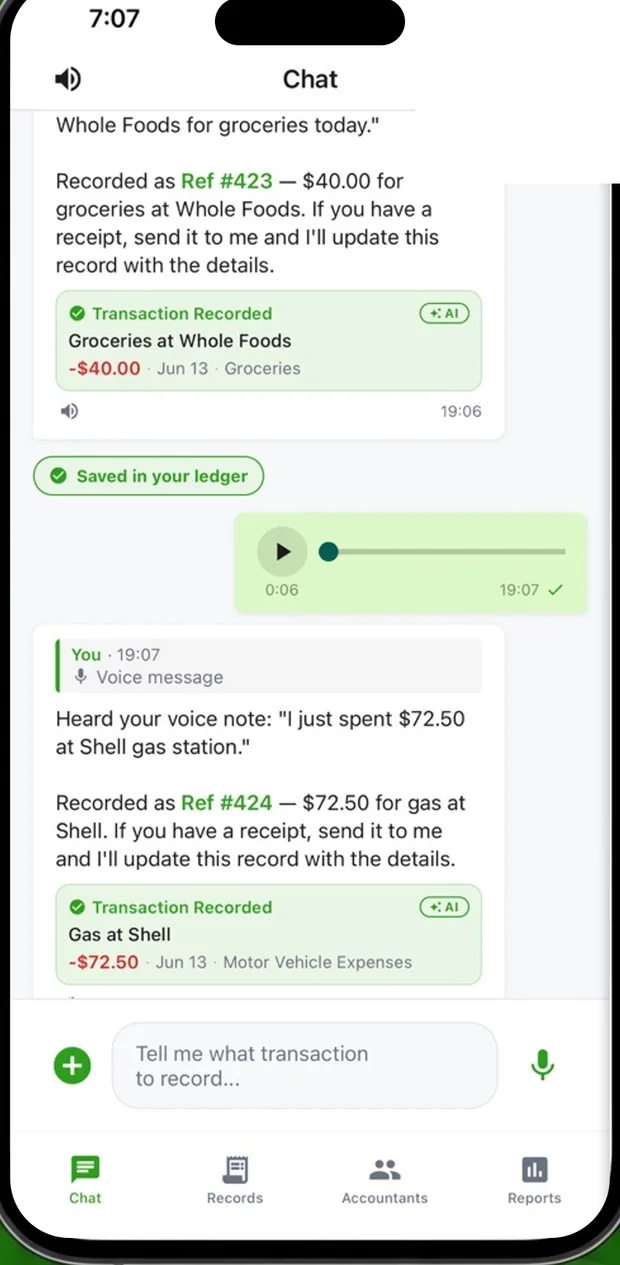
Approval queue
Example entry. Speak on your phone, approve on the web.
For accounting firms: more clients, same team
Accounting firms and bookkeepers get one dashboard for every client and AI doing the data entry. Take on more work without hiring more staff.
The AI learns your firm's way
It gets smarter the more you work with it, learning your business, your clients, your vendors and the way you like things booked. Your firm's rules always come first. Fix an entry once and it books the same way next time.
A permanent audit trail
Every edit, approval and deletion is logged with who did it and when. Nobody can change or erase the log.
Booked in QuickBooks Online
Coded, taxed and posted with the receipt attached, once you approve. Other accounting platforms coming soon.
How it books
Anything in. Booked out.
Speak it (in your language), snap it, upload a batch of scans in the web app, or forward an email to your dedicated address. Expenses, income, transfers, loans and bills all come out coded, taxed and posted to your books. See bookkeeping guides for your kind of business.
Example entry shown.
Ask anything. Answered.
Talk to VoiceAccountant in your own language, by voice, text or phone call. It answers questions, sends reports and documents, and asks you when something is unclear.
Example conversation and figures, illustrative.
It does not just listen. It answers, asks and collects.
Talk to VoiceAccountant in your own language, by voice or text. It answers questions, asks you when something is unclear, and handles invoices and the money owed to you.
Ask anything, get a report
Ask about spending, income or a due date. The answer, report or document comes back by voice, text or email.
It asks when something is unclear
A missing receipt, a possible duplicate, an odd charge: it asks you, you answer by voice, text or photo.
Invoice by voice, and get paid
Say who to bill and for what. Confirm, and it goes to your customer. If they are late, it follows up by email, text and call.
Example conversations and figures, illustrative.
See it work
Invite. Capture. Draft. Approve. Booked.
The whole flow in 34 seconds, ending in your QuickBooks ledger with every receipt attached.
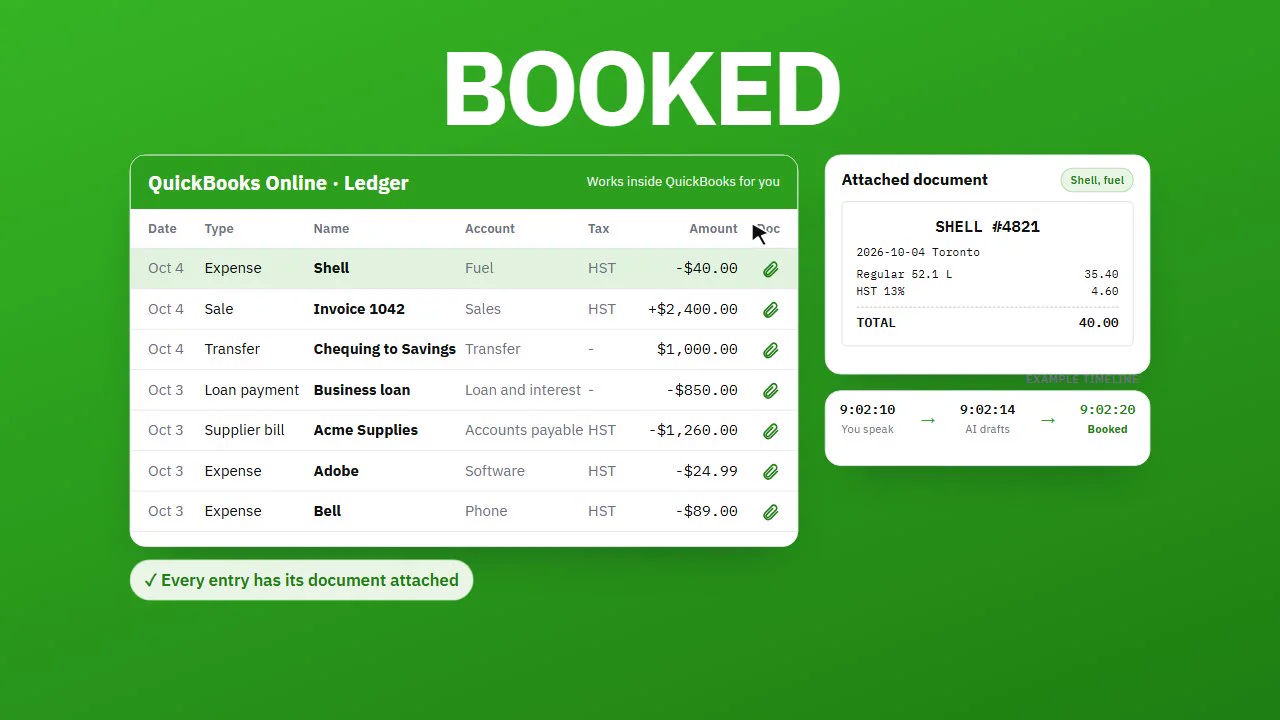
There's narration, so turn your sound on. The firm shown is an example.
Watch the demo
See the dashboard in 90 seconds.
One spoken expense, followed all the way to a filed set of books. It's the real product, not a mockup.
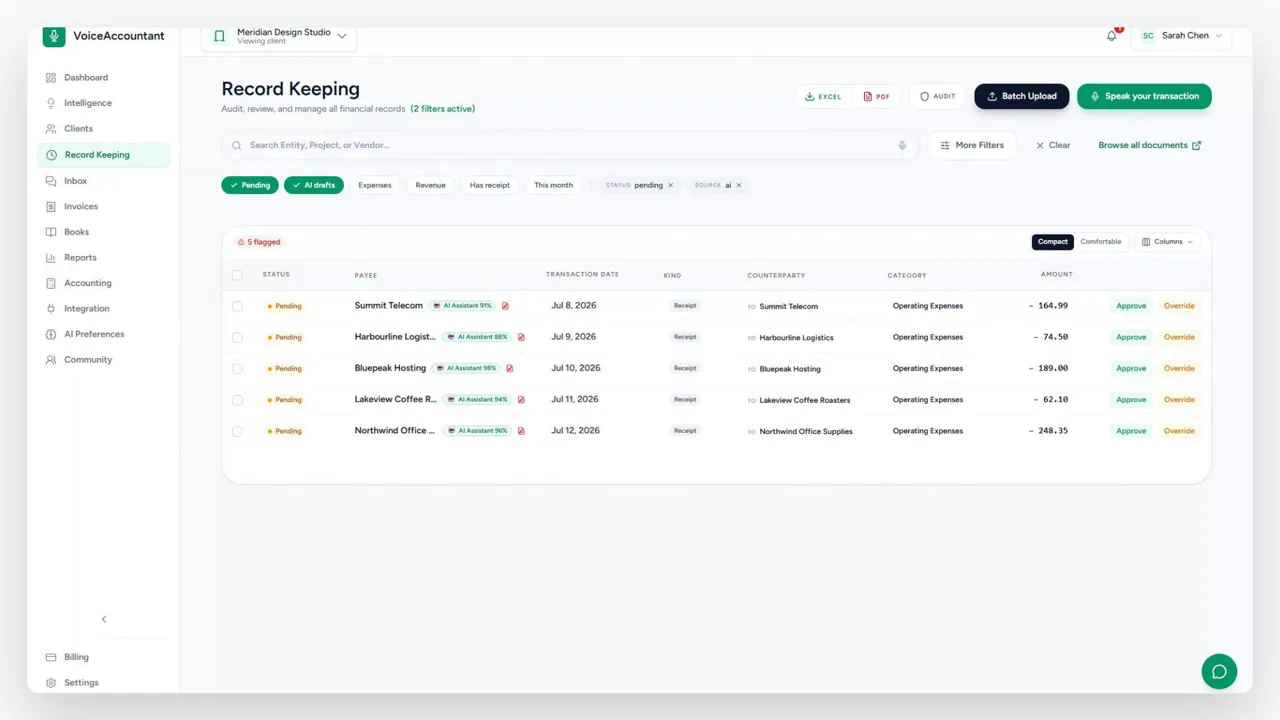
There's narration, so turn your sound on.
How it works
From any phone to your review queue.
Here's the loop. You, your clients, your team or your partners talk to a phone, and the work shows up on your desk ready to check.
-
01
Invite your clients, team or partners
Send them a link, a QR code or a short code. It opens a page with your firm's logo where they can sign in on the web or install the iOS or Android app. When they register, they're connected to your account and see your logo. There's nothing else for them to set up.
-
02
Speak, snap, upload or forward
They say what they spent or snap the receipt on the mobile app, drop a whole batch of files into the web app, or forward an email to a dedicated address. Every route lands in the same review queue, under your firm's name and logo. Coming soon: a browser extension that sends a screenshot of any online invoice or order in one click.
-
03
The AI drafts the whole entry
Whether it's an expense, a sale, a transfer, a loan payment or a supplier bill, the AI sorts out the type, the vendor or customer, the accounts, the tax and the coding, and attaches the original document. Anything doubtful is flagged with a confidence score, never guessed.
-
04
You approve, or set it to auto
Review the queue and approve each entry with a click. For clients you trust, switch on auto mode: entries the AI is sure about post themselves, and only the doubtful ones wait for you. Everything that happens is written down permanently.
-
05
Reconcile to the bank at month end
Drop in the bank statement and every line is read and matched to the receipts and invoices already in your books. Anything missing is flagged. When the difference reaches zero, the month is reconciled and locked.
-
06
Ask your books by voice, text or call
Coming soon: ask about spending, income or a due date, in your own language, and get the answer, report or document back by voice, text or email. It also asks you when something is unclear, like a missing receipt.
-
07
Invoice by voice, and get paid
Coming soon: say who to bill and for what. It reads the invoice back, you say yes, and it goes to your customer and into QuickBooks. If an invoice is late, it follows up by email, text and call, and stops when they pay.
-
08
Connect your point of sale. Sales book themselves.
Coming soon: shops and restaurants connect their point of sale, and sales, tax and tips post to the books instantly.
Some scenes show features that are coming soon, and they are labelled.
The platform
One workspace for businesses, accountants, and every client.
Business owners can manage their bookkeeping independently or collaborate with their accountant on the same platform. Information can be submitted by voice, text, the VoiceAccountant app, or a dedicated email address, and soon by WhatsApp, Telegram, and a one-click browser extension. VoiceAccountant captures, organizes, and processes everything automatically, while accountants can review, approve, and manage all clients from a single dashboard.
Start on your own, invite your accountant anytime, or let your accounting firm manage everything for you. One platform, one source of truth for business owners, bookkeepers, and accountants.
Two different days, one source of truth
For accountants: your day starts at the review queue.
Each draft comes in with the receipt attached, the tax code filled in, and a score for how sure the AI is. Approve it, reject it, or open it up and fix it. Filters let you clear the doubtful ones first.
- Every AI draft says how sure it is
- Auto-approve for the clients you trust, if you want it
- Export to CSV or PDF, or post to QuickBooks Online
Example drafts shown.
For business owners: your day starts wherever you are.
Business owners don't need to sit at a computer. Record expenses by voice or text as they happen, in your own language, or send a photo. Your accountant approves it, and it posts to QuickBooks. Soon, the AI accountant will message you when something is missing, such as a receipt, a possible duplicate or an unclear entry, through the app, WhatsApp or Telegram. Reply by voice, text or a photo.
Available in: English, Spanish, French, German, Italian, Arabic, Persian and Hindi. More languages coming soon.
VoiceAccountant Coming soon
Example conversation, illustrative
Rules that learn
Fix a category once and the AI remembers. The more you confirm it, the stronger the rule gets. When it stops being right, it quietly retires.
Document Hub with AI filing and reminders
Drop in any document: receipts, invoices, contracts, insurance policies, PDFs and Word docs. The AI files each one in the right folder, financial or not. If it finds a due date, like a policy renewal, it reminds you ahead of time. Anything it can't place with confidence waits in Unsorted for you.
Email intake
Every client gets their own forwarding address. When they email a receipt in, it becomes a draft under the right client on its own. Coming soon: a browser extension (Chrome and Edge) that sends a screenshot of an online invoice or order to the review queue in one click.
Messages, one inbox
Message all your clients from one inbox. Photos, files and voice notes all work, and you can pin a conversation to the transaction it's about.
Client invoicing, by voice
Bill your clients with invoices that carry your letterhead, sent by email or straight into their app. Just say what to bill, and the AI builds the invoice and sends it to your client on your behalf, once your email address is connected.
Multi-currency, audit-ready
Each client's books stay in their own currency. Exchange rates are saved as of the transaction date, so a report you print today matches the one you printed last month.
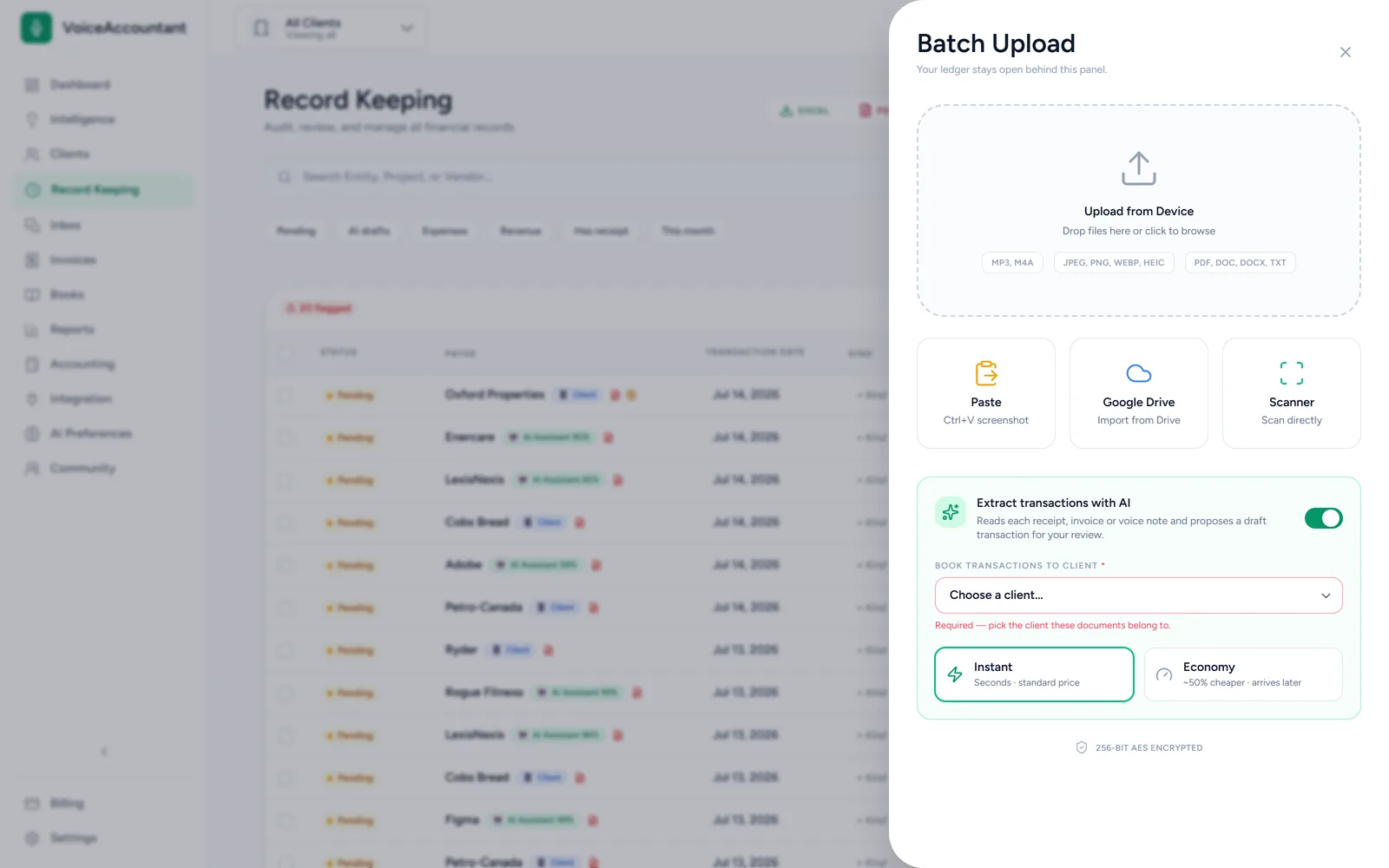
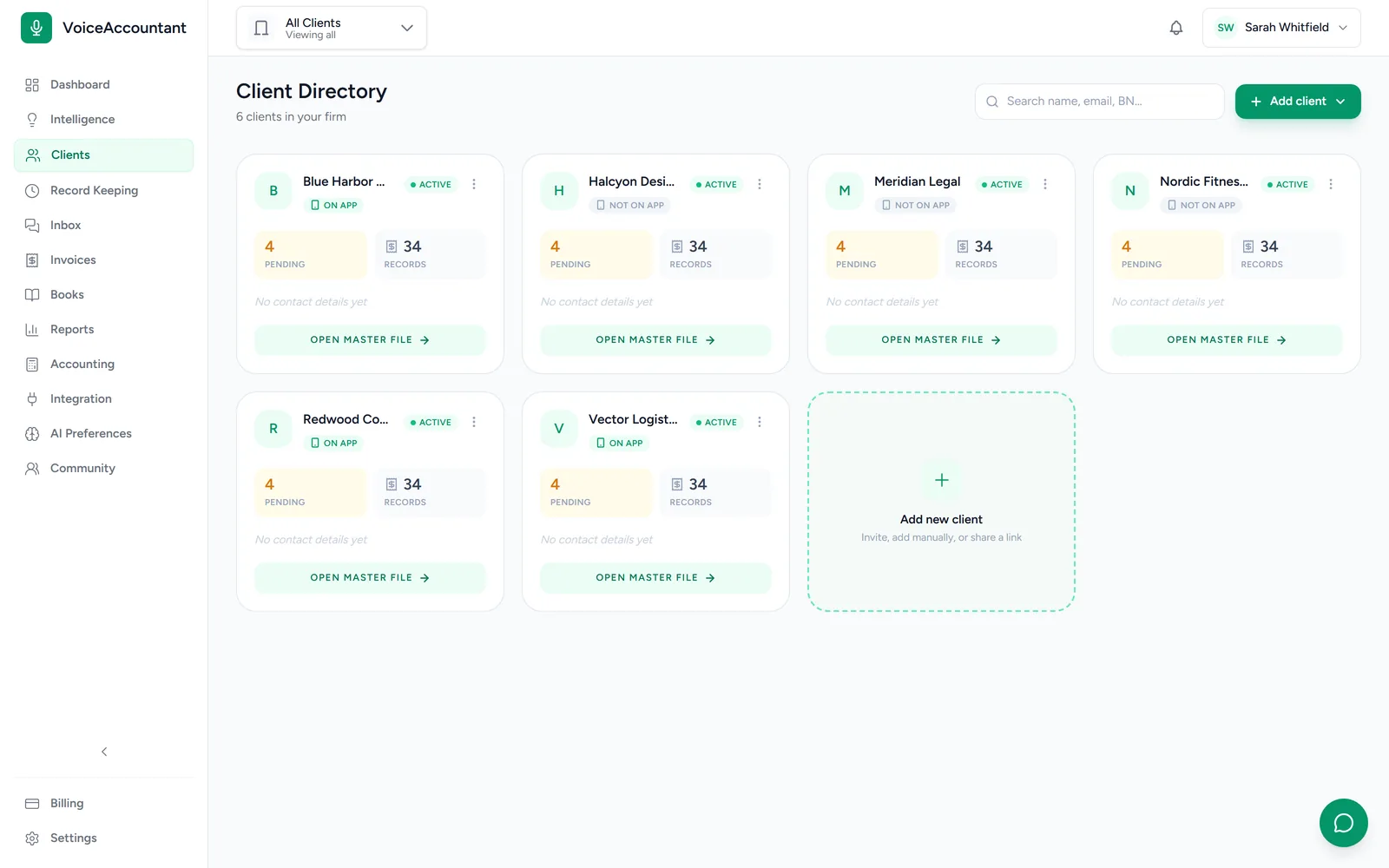
Your brand, their app, for accounting firms and bookkeepers
Your clients' app carries your firm's name.
You send the invite. Your client installs the app, and it opens with your firm's name and logo already on it. As far as they're concerned, it's your app. Everything they record shows up in your dashboard instantly, with the receipt attached.
Invites are one tap
Send a link, a QR code or a short code. It opens a page with your firm's logo where your client can sign in on the web or install the iOS or Android app, and they're connected to your firm when they register.
You stay in control
You decide what each person on your team can see and do. Every change is recorded, so you always know who did what, and why.
Sample firm and sample entries.
Partner program for accounting firms
Your clients stay your clients.
VoiceAccountant is the tool behind your firm, not a rival to it. Choose how your clients are billed.
You bill your clients
Your firm pays a discounted partner rate for VoiceAccountant and bills your clients however you like. You keep your margin and your client relationship.
We bill on your behalf
Prefer no billing work? VoiceAccountant can charge your clients for you and pay you after the platform fee. It is always clear to the client who is billing them and for what.
Partner terms are shared once your firm is verified. Apply as a partner firm
Security & trust
Built for the people who sign off on the numbers.
You're the one who signs off, so you're the one carrying the risk. The dashboard is built so you can always prove exactly what happened, and when.
A permanent audit trail
Everything that happens in the books is written down for good. Nobody can quietly edit or delete a record afterwards, not even us.
You approve everything
The AI only suggests. Nothing goes into the books until someone on your team says so.
Lock a closed month
Once a month is filed, lock it and nothing in it can change. There's a harder lock again for after the tax return goes in.
Your data is always yours
Download a complete copy of any client's records at any time: every transaction, every receipt, and the full history of changes. If you ever leave, everything comes with you.
The client app
The app your clients actually use.
Your clients don't need to learn accounting software. They open the app, say what they spent, and get on with their day. Here's what they see.
Say it, and it's booked
They talk, the AI writes the entry.
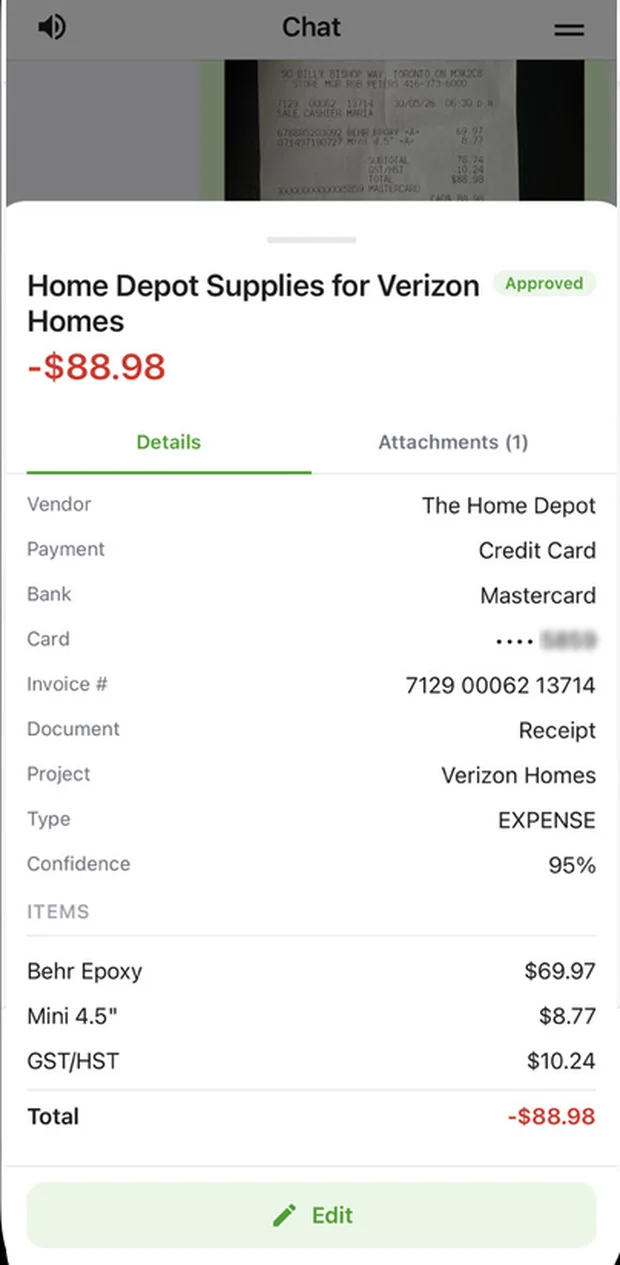
Receipts, read properly
Vendor, tax and line items, pulled straight off the photo.
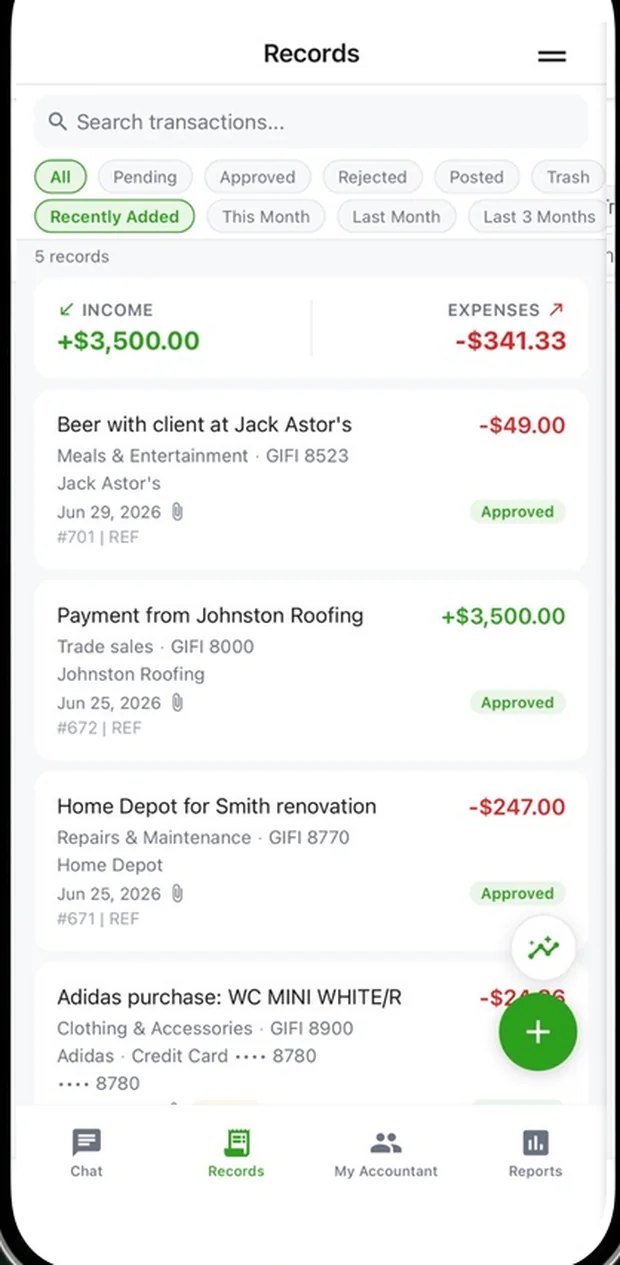
A tidy record
Everything they've sent, filed and ready for your review.
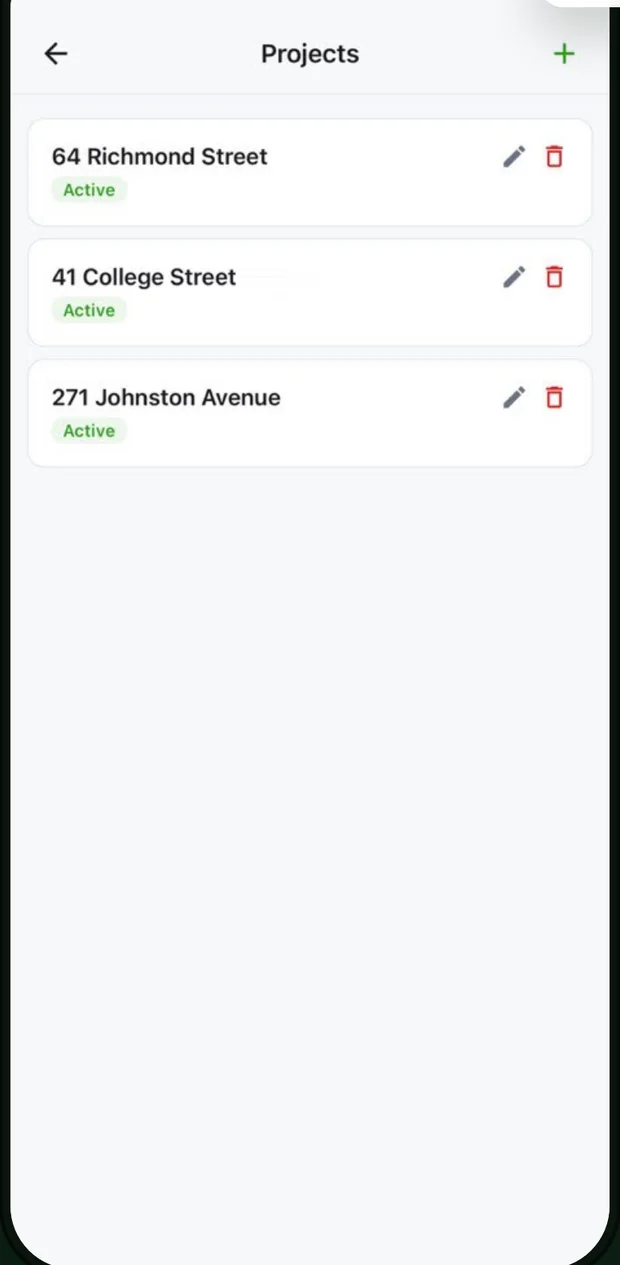
Sorted by project
They name a job once, and its costs group themselves.
Pricing
Simple, per-firm pricing.
We're still putting the final numbers on our plans. In the meantime, every new firm gets a 14-day free trial with no credit card, so you can start today.
Start your free trialFAQ
Questions, answered.
Who is VoiceAccountant for?
Accountants and bookkeeping firms with more than a handful of clients. You work in one dashboard, and each of your clients gets a simple mobile app for sending you their day-to-day expenses and income.
How do my clients send me their transactions?
You send each client an invite link or a short code. They install the app, it connects to your firm, and it shows your name and logo. From then on, anything they record by voice or photo lands in your review queue as a draft, with the original receipt attached.
Do I have to accept whatever the AI produces?
No. Every draft shows how confident the AI is, and anything doubtful gets flagged. Nothing goes into the books until someone on your team approves it. For clients you trust, you can turn on auto-approval.
Which countries and tax systems does it support?
Each client's books can be kept in Canadian dollars, US dollars or British pounds, with a chart of accounts to match. Canadian GIFI codes and GST, HST, PST and QST are built in, along with UK VAT and Australian GST codes. US sales tax on a purchase stays inside the amount; US state sales-tax rates are not set up yet.
Does it work with QuickBooks Online?
Yes. Connect each client to their QuickBooks Online company, and every transaction you approve is pushed straight into it, with the vendor, category, tax and source document attached.
What can my clients and I upload?
Photos and scans of receipts, PDFs, Word documents, plain text and voice memos, up to 25 MB each. The AI reads whatever comes in and drafts a transaction for you to check.
Is my clients' data secure?
Yes. Everything is encrypted, sign-in supports two-factor authentication, and every change is written to a permanent audit trail that nobody can edit. Your data isn't stuck here either: you can download a complete copy of any client's records whenever you like.
How much does it cost?
Every new firm gets a 14-day free trial with no credit card. We're still finalizing the paid plans, so pricing details are coming soon.
Where can I watch VoiceAccountant in action?
On the videos page: a step-by-step tour, a bookkeeper\'s Monday morning, a 30-second overview and more, all with captions and full transcripts. You can also watch on the VoiceAccountant YouTube channel, @VoiceAccountant.
Give your firm its evenings back.
Your clients do the capturing. You do the part that actually needs an accountant: the review, the judgment, the sign-off.